
Add your photos
Start with a copied folder containing 100–300 photos. Supported photos in subfolders are included.
Find a shot by describing it, compare duplicates and organise photos by date. AI helps you sort the collection — your photos stay on your PC.
Open beta · Windows 10/11, 64-bit · Check system requirements
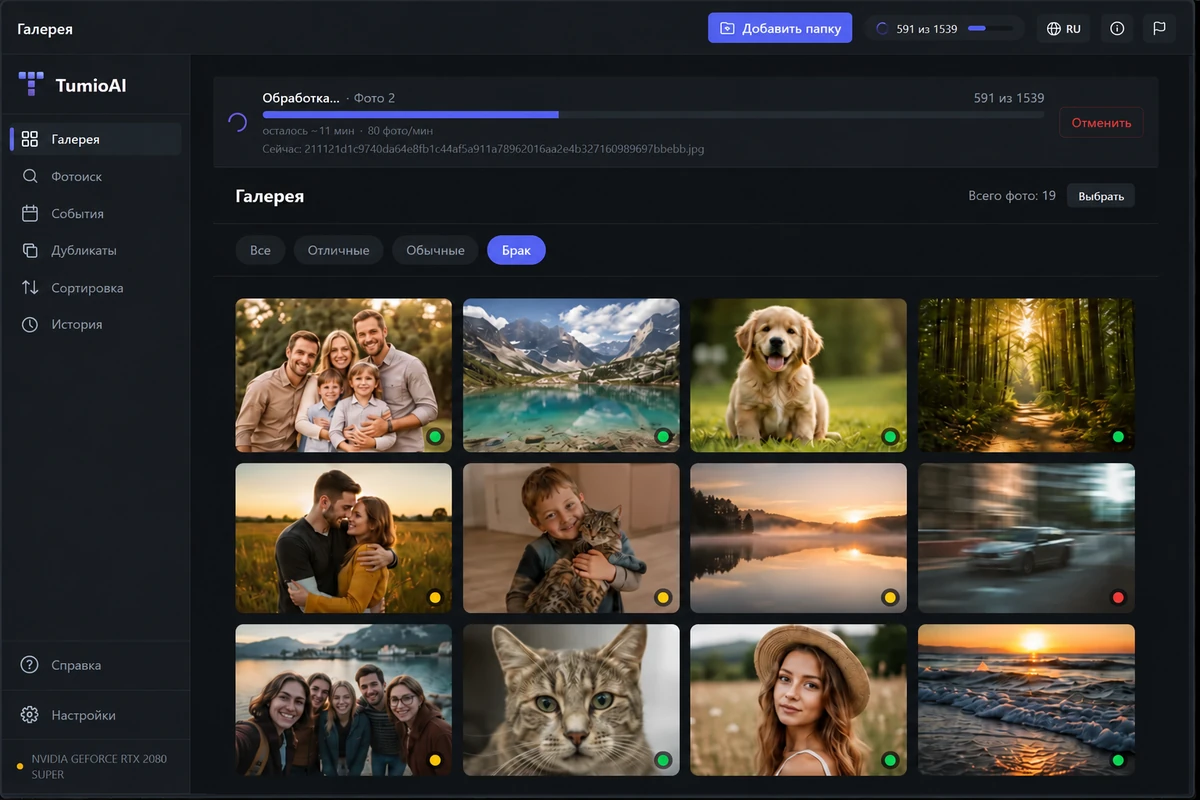
Search “dog in the snow” or “family by the sea” among files named IMG_4821.jpg.
Review the results and move plan before confirming.
Photos, thumbnails and the search index are processed on your computer.
You do not need to organise everything in one evening. Choose one folder and one useful result.
Remember the scene, not the filename? Describe it and search the part of your archive you need.
Learn more →See exact copies and similar shots together. Compare the alternatives before making changes.
Learn more →Create year and month folders. Review photos with missing dates separately.
Learn more →Quality scores highlight blur, noise and exposure problems. The final choice is yours.
Learn more →Review new photos, receipts and documents without searching the entire old collection.
Learn more →Bring collections from different devices into a structure you can understand.
Learn more →Start with a copied folder containing 100–300 photos. Supported photos in subfolders are included.
Processing stays on your computer. Time depends on your CPU, GPU and collection size.
Search, compare similar shots or prepare a sorting plan. Files move only after you confirm.
Follow the visual walkthrough · Also available in the application’s Help section.
Sorting changes file locations only after confirmation. History lets you inspect completed operations and undo moves.
File safety and limitations →Back up irreplaceable photos first. AI recommendations can be wrong.
AI runs locally. Internet access is used for downloading, licensing and updates. Photos are not sent to a server for analysis.
Yes. Analyse the first 1000 photos without a bank card. Start with a small folder and judge the results on your own pictures.
You need 64-bit Windows 10/11, an AVX2 CPU and 16 GB RAM. Read the requirements.
Quality ratings and similar-photo groups suggest what to review. They are not instructions to delete files. Sorting moves files only after you confirm.
Yes, the open beta is available now. It may contain bugs or analysis errors. See the release notes and report issues to support.
Paid sales are not open. Use the free trial; planned prices and terms are published and launch news will appear in Telegram.
First 1000 photos free. One folder is enough to get started.

Free sticky notes for Windows. Keep your tasks nearby while organising your archive.